
Scattered saves
X bookmarks. Reddit saves. YouTube watch later. Instagram saves. Pinterest pins. LinkedIn saves. Useful posts split before you use them.
 SavePosts
Save posts across Categories & Shareable Collections. Use them in Spaces along with Tasks, Notes, Links, Files & much more.
Loved by 53+ users
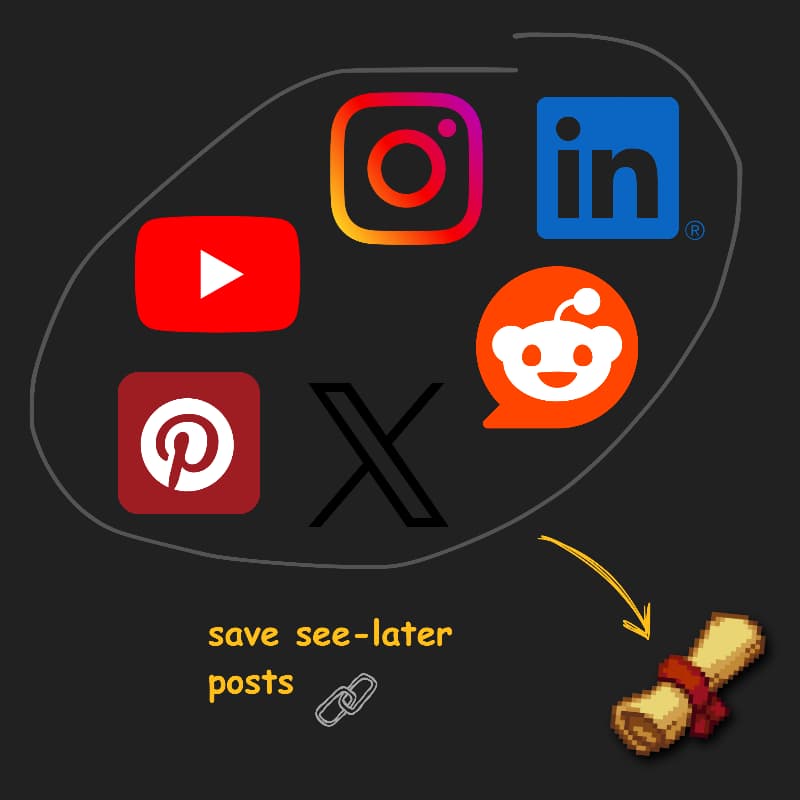
Every platform gives you a save button. None of them remember why you saved it, where it belongs, or what it should become.
X bookmarks. Reddit saves. YouTube watch later. Instagram saves. Pinterest pins. LinkedIn saves. Useful posts split before you use them.
You remember the idea, not the account, platform, date, or exact wording. Native search rarely helps.
Posts get deleted, moved, blocked, or changed. A bare URL is not enough context.
Research, moodboards, launch examples, tasks, files, and notes all need different treatment after the save.
Chrome extension
Install once, checkmark your favourite feeds, one click save posts to your saveposts account.
No tab hopping. No copy-paste ritual. No lost links.
01Save in-place
02Duplicate checks
03Synced to your vault
SavePosts keeps the post, the context, and the next use case in one workflow.
X, Reddit, Instagram, YouTube, Pinterest, LinkedIn, TikTok, and Facebook are handled from the same input.
Cached embeds keep the save useful even when remote scripts are slow, blocked, or changed later. Notes keep your intent.
Use platform, author, category, title, notes, and content metadata instead of hunting through old tabs.
Share a collection, plan in a space, or keep tasks, notes, links, files, and posts together.
Creators keep inspiration, clips, and visual references ready for the next piece.
Founders save launches, customer language, hiring posts, and competitor moves in one workspace.
Researchers turn scattered posts into a searchable source workspace with notes and files.
Operators share collections without exposing their private vault or unfinished work.
Comments, builder reactions, and the public feedback board keep SavePosts sharp.
These products solve overlapping but different jobs. SavePosts is social-first, Raindrop is a general bookmark library, and Notion is a flexible workspace.
| Capability | SavePosts |  Raindrop Raindrop |  Notion Notion |
|---|---|---|---|
| Native | Link | Clip | |
| Native | Link | Clip | |
| Native | Link | Clip | |
| Native | Link | Clip | |
| Native | Link | Clip | |
| Native | Link | Clip | |
| Preview fallback | Cached | Page | Clip |
| Fast capture | Feed + share | Extension | Clipper |
| Search focus | Social context | Bookmarks | Workspace |
| Notes on saves | Markdown | Notes | Pages |
| Sharing | Scoped | Collections | Pages |
| Tasks | Spaces | — | Native |
| Free tier | 10 saves | Available | Available |
Capability descriptions are intentionally broad and may change as each product evolves. SavePosts does not claim an official partnership with Notion or Raindrop. Pocket is omitted because Mozilla shut it down on July 8, 2025.
Missing a capability?Start free, then upgrade to unlimited saves and planning when your vault becomes part of daily work.
Unlimited saves and planning, billed monthly.
$5.69/mo
Unlimited saves and planning at the best yearly price.
$45.59/yr
Everything in Monthly, billed once at the best rate.
SavePosts is a cross-platform vault for saved social posts. It keeps the original link, useful preview context, your notes, and planning work together so a save can become a collection, task, reference, or shared Space.
SavePosts supports X, YouTube, Instagram, TikTok, Pinterest, LinkedIn, Facebook, and Reddit. Platform behavior and embed availability can change independently of SavePosts.
Paste a supported post URL in the web app, use the Chrome or Brave extension while browsing, or share a supported link to the mobile app.
SavePosts keeps the original link and may show previously cached preview context when a live embed is blocked or unavailable. Cached previews are a resilience feature, not a guarantee that every deleted or private post can be preserved.
Yes. SavePosts canonicalizes supported URLs where possible and checks your vault for an existing save before adding another copy.
Search covers URLs, platforms, categories, authors or sites, preview metadata, cached summaries, and your notes. Operators such as platform:reddit, cat:design, and author:marc narrow results quickly.
Categories are reusable labels for the main vault. Collections group related saves into curated sets. Spaces combine posts with tasks, notes, links, files, references, and scoped sharing for active work.
Yes. You can publish read-only collection or Space links, disable or regenerate those links, and invite collaborators with scoped viewer or editor access.
Free includes up to 10 saved posts, 2 Spaces, 25 files, files up to 10 MB each, and 250 MB of storage. Resource creation pauses at a limit until you delete items or upgrade.
Monthly and Yearly include unlimited saves, Spaces, notes, tasks, and links, plus 25 GB of fair-use file storage and files up to 100 MB each. Fair-use and anti-abuse controls still apply.
No. The Free save limit is your current vault capacity, not a monthly allowance. Deleting a save frees capacity for another.
On the SavePosts website, Monthly is currently $5.69 per month after 5% off $5.99, and Yearly is $45.59 per year after 5% off $47.99. The discount applies only to web checkout. App-store pricing is separate and is shown in the app before purchase.
Yes. You can schedule cancellation from billing controls. Access remains paid through the end of the current paid period, then the account returns to Free limits.
Unless required by law, subscription charges are generally non-refundable after a billing period starts. SavePosts may issue discretionary refunds for duplicate charges, proven billing errors, or platform outages. See the Refund Policy for details.
Web subscription payments are processed by Dodo Payments. Android purchases may be processed and managed through Google Play. SavePosts does not store raw card numbers.
You retain rights in content you submit, including your notes. Original posts remain subject to their creators’ and source platforms’ rights and terms. SavePosts must not be used to violate copyright or applicable law.
SavePosts collects the account, saved-vault, billing-reference, support, extension-session, and product-analytics data needed to operate, secure, and improve the service. It does not collect passwords, private messages, keystrokes, or full browsing history, and it does not sell personal data.
Use Delete account in the mobile Account screen, or request deletion through the Account Deletion page or support. Ownership is verified first, and requests are normally processed within 30 days.
Use the public Feedback & Roadmap page to submit a report with compressed screenshots and vote on requests. Public requests are marked Pending, Shipped, or Declined. Use Support instead for private account, billing, or security matters.
Start free across X, YouTube, Reddit, Instagram, Pinterest, LinkedIn, and more. Add it to categories, collections, or spaces when it matters.